SINGULARITY SYSTEMS
Solutions · Contract Intelligence
Know what every neighboring department pays — before you sit down at the table.

Singularity Systems turns stacks of collective-bargaining agreements into a live, side-by-side comparison of pay, time off, and pensions — built for one department at a time, set up from your side of the table, whether that's the local or the city.

The public demo runs on fabricated Gulf Coast sample data — client engagements stay private.
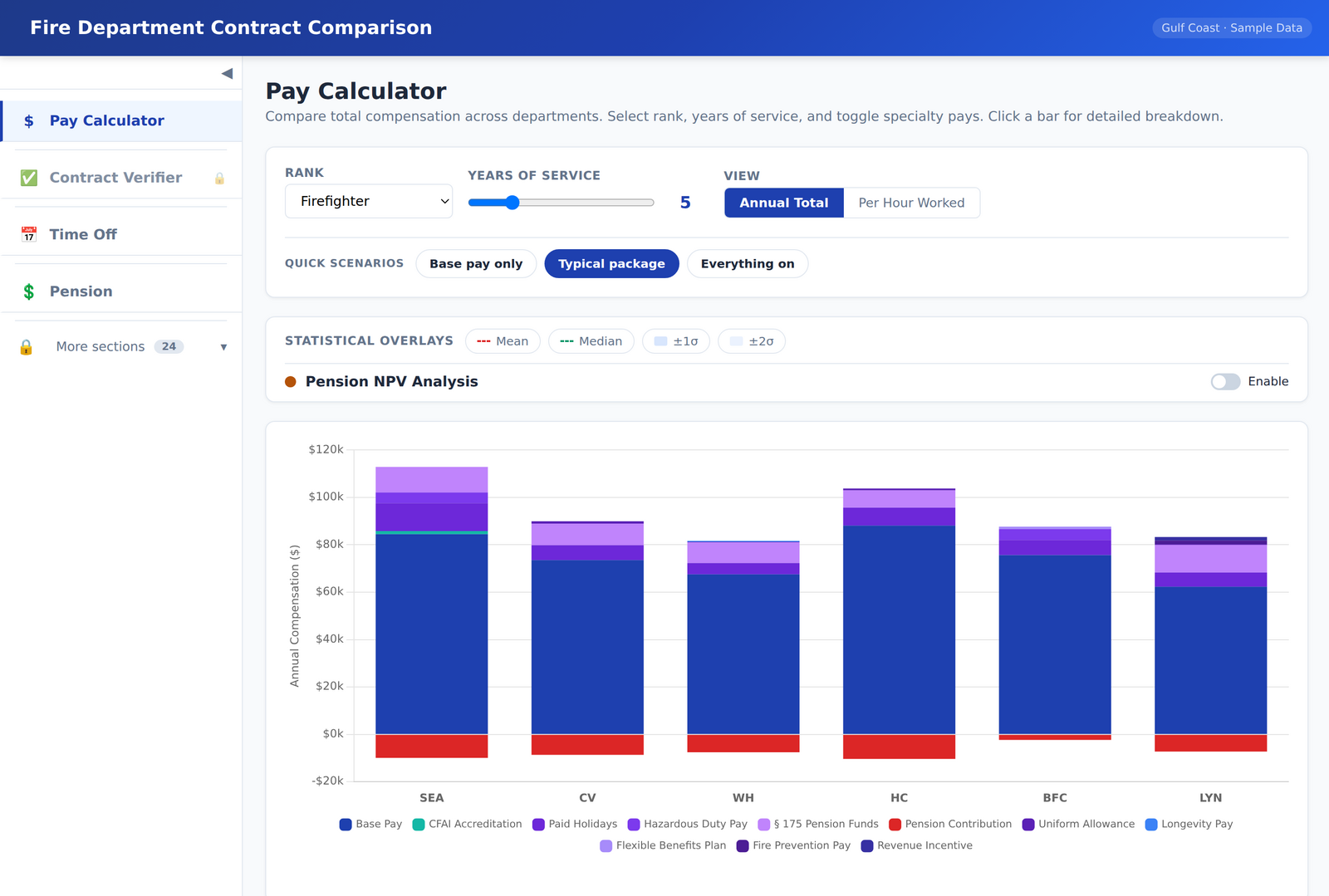
Pay Calculator: stacked total-compensation bars for six departments, with rank, years of service, and specialty-pay toggles
The problem

The information exists. It's just buried in PDFs.

01

Contracts are hundred-page documents

Pay tables, incentives, leave accruals, and pension terms are scattered across articles, appendices, and memoranda — in a different order for every city.

02

Manual comparisons go stale

A spreadsheet built from six contracts takes weeks of markup, and it's outdated the day one of those cities ratifies a new agreement.

03

Questions arrive mid-negotiation

"What does that look like at 15 years, with paramedic pay?" shouldn't take a recess and a calculator. It should take one click.

What you get

One live tool, four views your negotiating team actually uses.

Pay

Total compensation, not just base wage

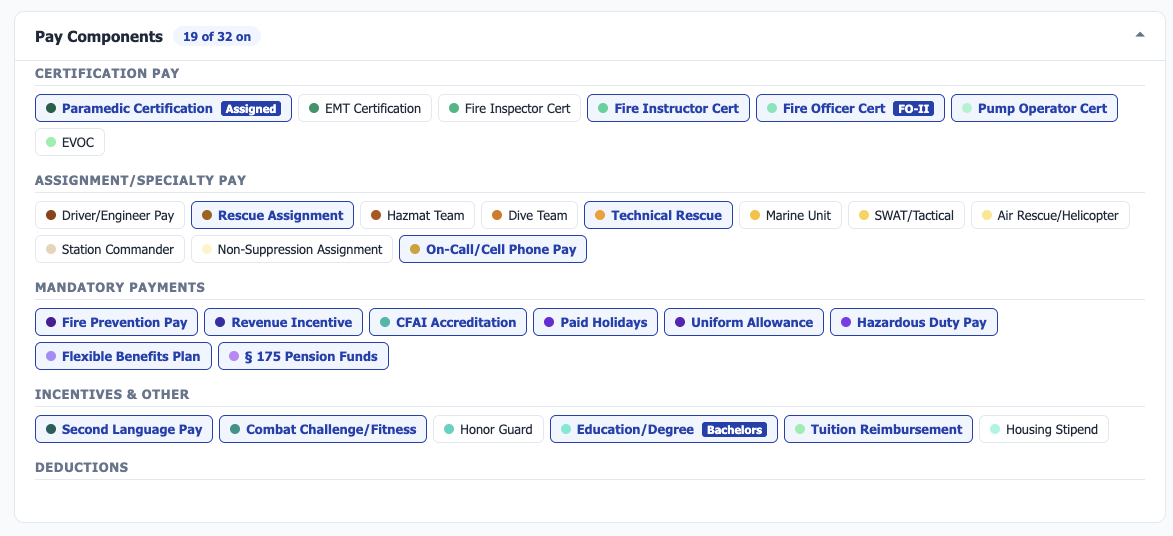
Every certification, specialty assignment, incentive, and deduction in the region's contracts is a toggle — and your team decides which ones are on by default, so the chart opens on the package as you define it. When someone at the table asks "well, what about hazmat pay?" — it's on screen, in the total, and put to rest in seconds.

  • Dozens of pay components, grouped the way contracts group them
  • Opens on your default package, plus one-tap scenarios: base only, typical, everything on
  • Annual total or per-hour-worked views
  • Click any bar for the line-by-line breakdown
Pay Components panel: certification, specialty, mandatory, and incentive pays as individual toggles, 19 of 32 on
Gap analysis

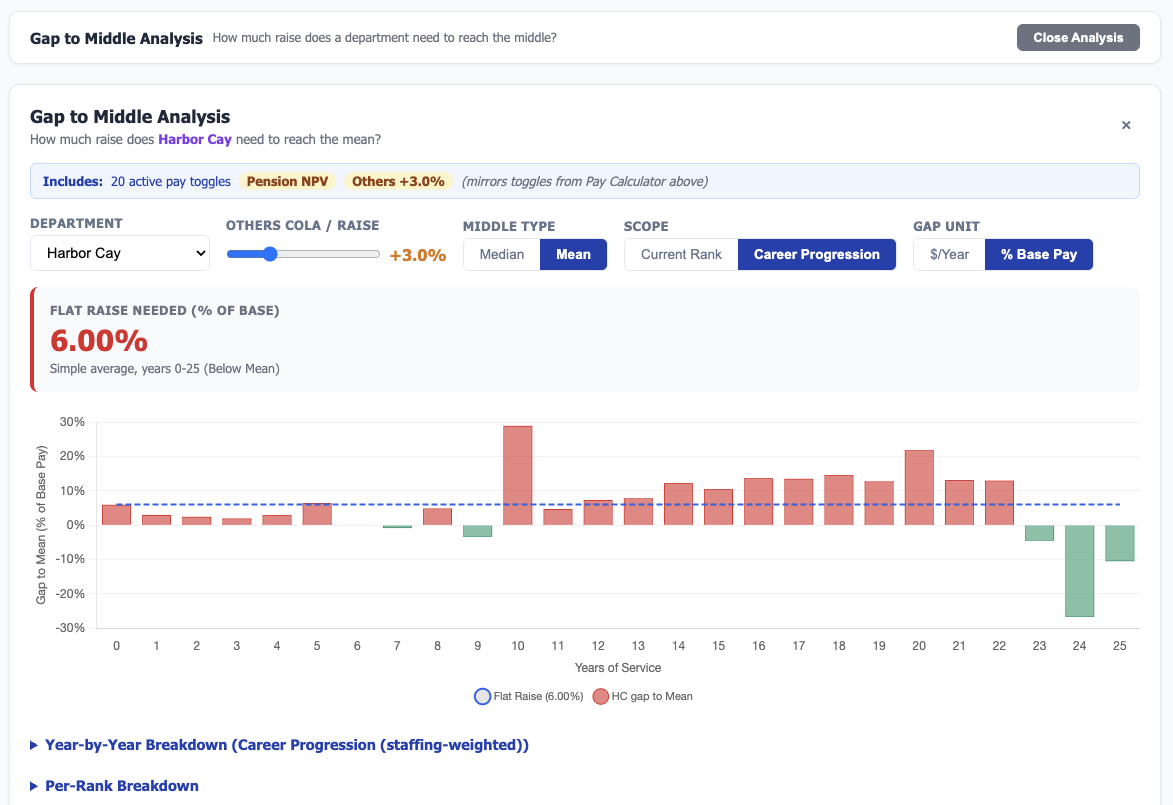
"What do we need to be in the middle?" Answered with one number.

The question every negotiation comes down to. The tool computes the flat raise your department needs to reach the market middle — in dollars per year or percent of base pay, against the median or the mean.

  • Year-by-year gap chart across a full 25-year career
  • Current rank only, or weighted across real career progression
  • Assumes whatever COLA or raise you expect the other departments to get
  • Mirrors your pay-toggle scenario, so the number matches the package on the table
Gap to Middle Analysis: flat raise needed shown as a single 6.00% figure above a year-by-year gap chart
Time off

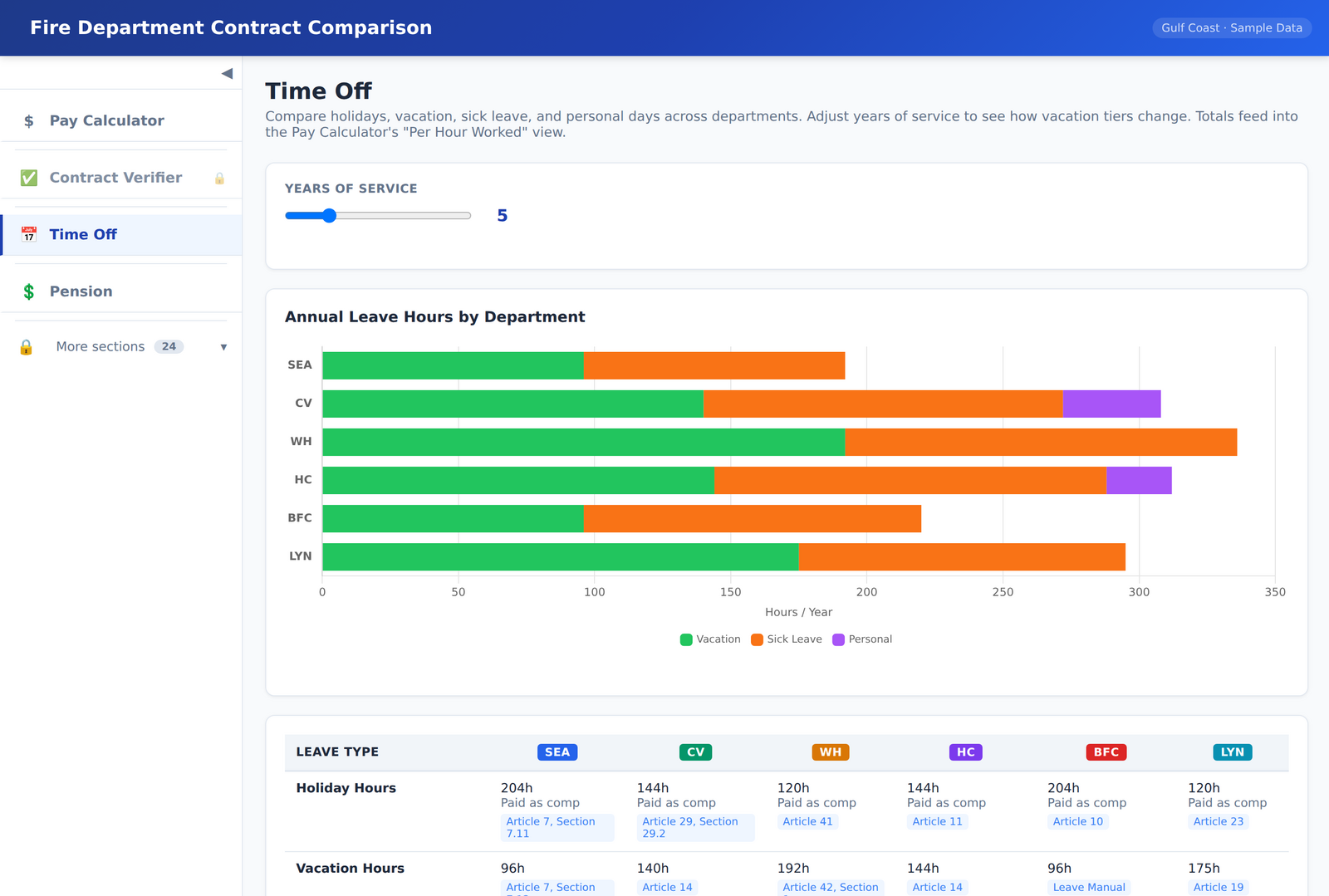
Leave, holidays, and how they change with seniority

Holidays, vacation tiers, sick leave, and personal days compared side by side — slide years of service and watch the accrual tiers shift.

  • Annual leave hours charted by department
  • Every figure linked to its contract article
  • Leave totals feed the per-hour-worked pay view
Time Off comparison screenshot
Pension

All the way into the weeds — because sometimes that's where the truth is

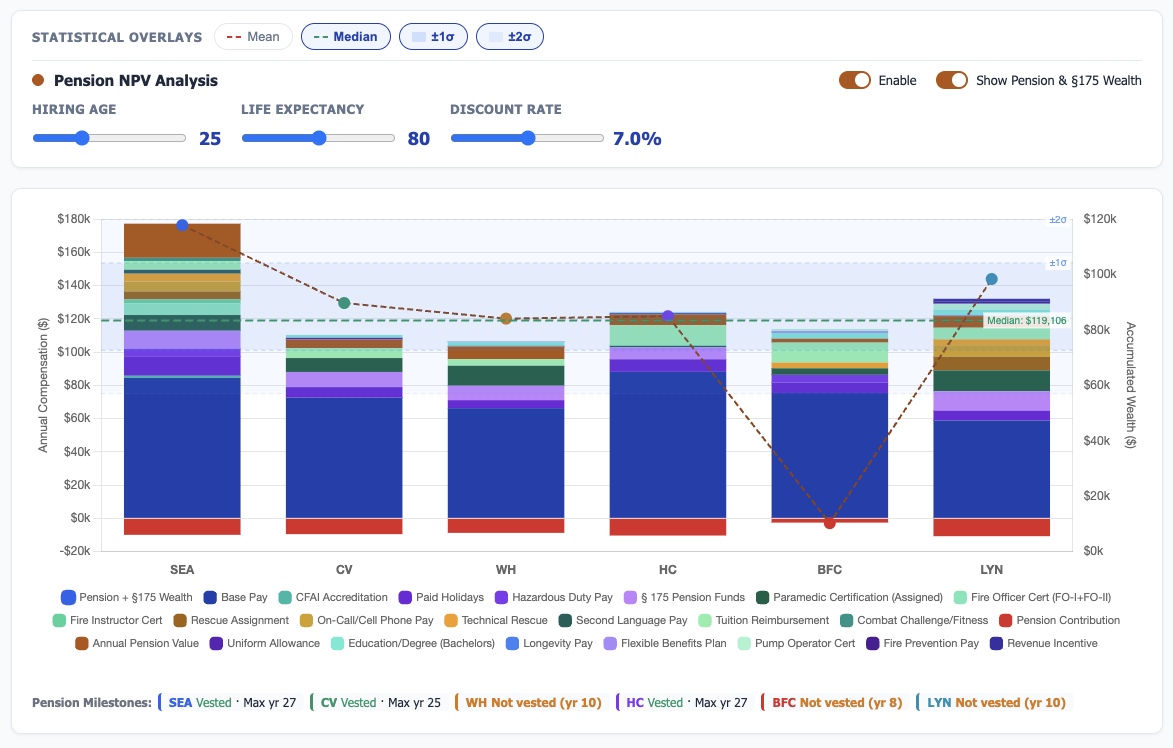
Multipliers and contribution rates are the surface. Underneath, the tool runs a live actuarial net-present-value model of every plan, so "our pension makes up for lower pay" stops being an assertion and becomes a number you can test.

  • Hiring age, life expectancy, and discount rate — adjustable live, results recompute instantly
  • Accumulated pension and § 175 wealth charted alongside annual pay
  • Vesting milestones and DROP terms tracked per department
  • Municipal and state (FRS) plans normalized on one screen
Pension NPV Analysis: hiring age, life expectancy, and discount-rate sliders above pay bars overlaid with accumulated pension wealth and vesting milestones
Grounded in the contract

Every number cites its source.

Each value in the tool is tied back to the article and section it came from, so a disputed figure takes seconds to verify against the signed agreement. Values extracted from scanned documents are flagged for review rather than silently trusted.
How an engagement works

From a folder of PDFs to a negotiation-ready tool.

01

Send the contracts

The current agreements for your department and the comparison departments you care about — clean PDFs or old scans, both work.

02

We digitize and verify

Pay scales, leave schedules, and pension terms are extracted, normalized, and checked value-by-value against the source language.

03

Your team gets a private site

A password-protected comparison tool for your negotiating team, updated as agreements are amended or new contracts are ratified.

Nick Johnson

You work directly with the person who builds it. Singularity Systems is deliberately boutique — one principal, a career in public service, and custom software for unions, municipalities, and small public organizations. More about the company →

Next step

Bring your next negotiation into focus.

Try the demo with sample data, or book a short walkthrough and see what this looks like built around your contracts.